Best Vocal Chain Plugins for Home Studio Artists (2026)
VP
VocalPresets Team
7 min read
The plugin market is overwhelming. Hundreds of compressors, dozens of EQs, reverbs from every era of recording history. If you are a singer or rapper recording at home, you do not need most of them. You need the right plugin for each stage of your vocal chain — and "right" often means affordable or free.
Here is a curated list of the best vocal chain plugins for independent artists in 2026, organized by what you actually need.
What Your Vocal Chain Needs
Before spending anything, know the categories:
- High-pass filter / noise gate
- Compressor
- EQ
- Saturation
- De-esser
- Reverb
- Delay
Good news: your DAW already has a usable version of most of these built in. You can start making professional-sounding vocals today without buying a single plugin. For the exact order to arrange these, see our guide on vocal chain order.
Compressors
Free: TDR Kotelnikov — Transparent, clean, and precise. Does exactly what a first-stage compressor needs to do — even out your vocal without coloring it. Genuinely professional quality at zero cost. Start with a 3:1 ratio, threshold set so you get 3-5 dB of gain reduction on louder phrases, medium attack (10-15ms), and auto release.
Budget: Waves CLA-2A or CLA-76 — These go on sale for $29-49 regularly. The CLA-76 is fast and punchy (great for rap — try the All Buttons In mode for aggressive compression). The CLA-2A is smooth and warm (great for singing — set the Peak Reduction to where you see 3-6 dB of gain reduction). Thousands of hit records used the hardware originals.
Best overall: FabFilter Pro-C 2 — Multiple compression styles, a visual display that actually teaches you what compression is doing, and it sounds great on everything. If you buy one compressor plugin, this is the one. The Vocal style preset is a solid starting point — adjust the threshold from there.
For character: Softube Tube-Tech CL 1B — Warm, smooth optical compression that makes R&B and soul vocals sit beautifully. This is the "make it sound expensive" compressor. Slow attack, slow release, and let it catch 4-6 dB on peaks.
EQs
Free: TDR Nova — A dynamic EQ that rivals paid plugins. Professional-grade and completely free. Start here. Use the dynamic bands to tame problem frequencies only when they appear, rather than cutting them all the time.
Your DAW's stock EQ (seriously): Logic's Channel EQ, FL Studio's Parametric EQ 2, Ableton's EQ Eight — these are all genuinely good. Do not let anyone tell you stock EQs are not professional. They are on more records than you think. For DAW-specific tips, see our guides for FL Studio, Logic Pro, and Ableton Live.
Best overall: FabFilter Pro-Q 3 — The standard for modern mixing. The visual display makes EQ intuitive even if you are still learning. Dynamic EQ mode handles problem frequencies automatically. Worth every dollar. Use the analyzer to see where your vocal's energy sits, then make surgical cuts rather than broad strokes.
For character: Pultec EQP-1A emulations — The classic way to add warmth and weight to vocals, especially male voices. The Waves version goes on sale frequently. The famous Pultec trick: boost and cut at the same low frequency to add warmth with a tight low-end.
Saturation
Free: Klanghelm IVGI — Tube saturation that adds warmth without being obvious about it. One of the best free plugins in any category. Set the drive knob to around 10 o'clock and the asymmetry to taste. A/B it on and off — you should feel the warmth without hearing distortion.
Free: Softube Saturation Knob — One knob. Turn it up until your vocal sounds warmer. Sometimes simple is best. The "Keep High" mode is best for vocals since it preserves clarity while adding body.
Best overall: Soundtoys Decapitator — Can go from subtle warmth to aggressive distortion. The "Punish" button exists for a reason. Fantastic on rap vocals when you want that edge. For clean warmth, use the "A" style (Ampex tape) with the drive at 2-3 and the mix at 50%.
For vibe: Waves J37 Tape — Tape warmth that makes digital recordings sound analog. Particularly good if your sound references classic hip-hop or soul. Try the 15ips speed setting with low wow and flutter for subtle warmth.
De-Essers
Your DAW's de-esser (start here): Logic and Ableton both have capable built-in de-essers. FL Studio users can use Maximus or a multiband compressor targeting the sibilant range (5-9kHz). Try these before buying anything.
Free: Spitfish — A classic free de-esser that still works. Simple interface, effective results.
Free: Techivation T-De-Esser — A more modern free option with a clean interface and precise control over the sibilant range. Great for GarageBand and Logic users.
Best overall: Waves Sibilance — Uses transient detection instead of just frequency targeting, which sounds more natural. Your S sounds get controlled without making you sound like you have a lisp. Worth the money. Set the threshold so it only catches the harshest moments — over-de-essing sounds worse than the original problem.
Reverb
Free: Valhalla Supermassive — One of the most downloaded free plugins ever. Excellent for atmospheric and ambient effects. Not the most natural room sound, but incredible for creative vocal production.
Your DAW's reverb: Logic's Space Designer and Ableton's Hybrid Reverb are both world-class. Do not sleep on what you already have.
Best bang-for-buck: Valhalla VintageVerb ($50) — The reverb plugin that most independent artists end up buying first, and for good reason. Natural rooms, plates, and halls that sound expensive. Fifty dollars. For vocals, start with the "Plate" algorithm, 1.5s decay, and 15-20% mix. Add 20-30ms of pre-delay to keep the dry vocal upfront.
Premium: Lexicon PCM — The legendary studio reverb. If you are serious about your vocal sound and have the budget, this is what the major label records actually use.
Delay
Free: TAL-Dub — Warm, simple delay that sounds great on vocals. No learning curve. Sync it to your tempo and set the feedback low (20-30%) for subtle depth.
Best overall: Soundtoys EchoBoy — Rhythm-synced delay with filtering and character options. The standard for creative vocal delay in hip-hop and R&B production. The "Studio Tape" style with a dotted eighth note at 15% mix adds professional depth without cluttering the vocal.
Your DAW's delay: Logic's Tape Delay and Echo, Ableton's Delay — both are more than capable for standard vocal delay.
The Shortcut: Preset Packs
Instead of buying plugins individually and figuring out settings from scratch, a vocal preset pack gives you a complete chain with professional settings already dialed in. You still need the plugins, but someone else has done the engineering work:

Free
Big Drip

Vocal Labs
Free
Punchy
Vocal Labs
$14.99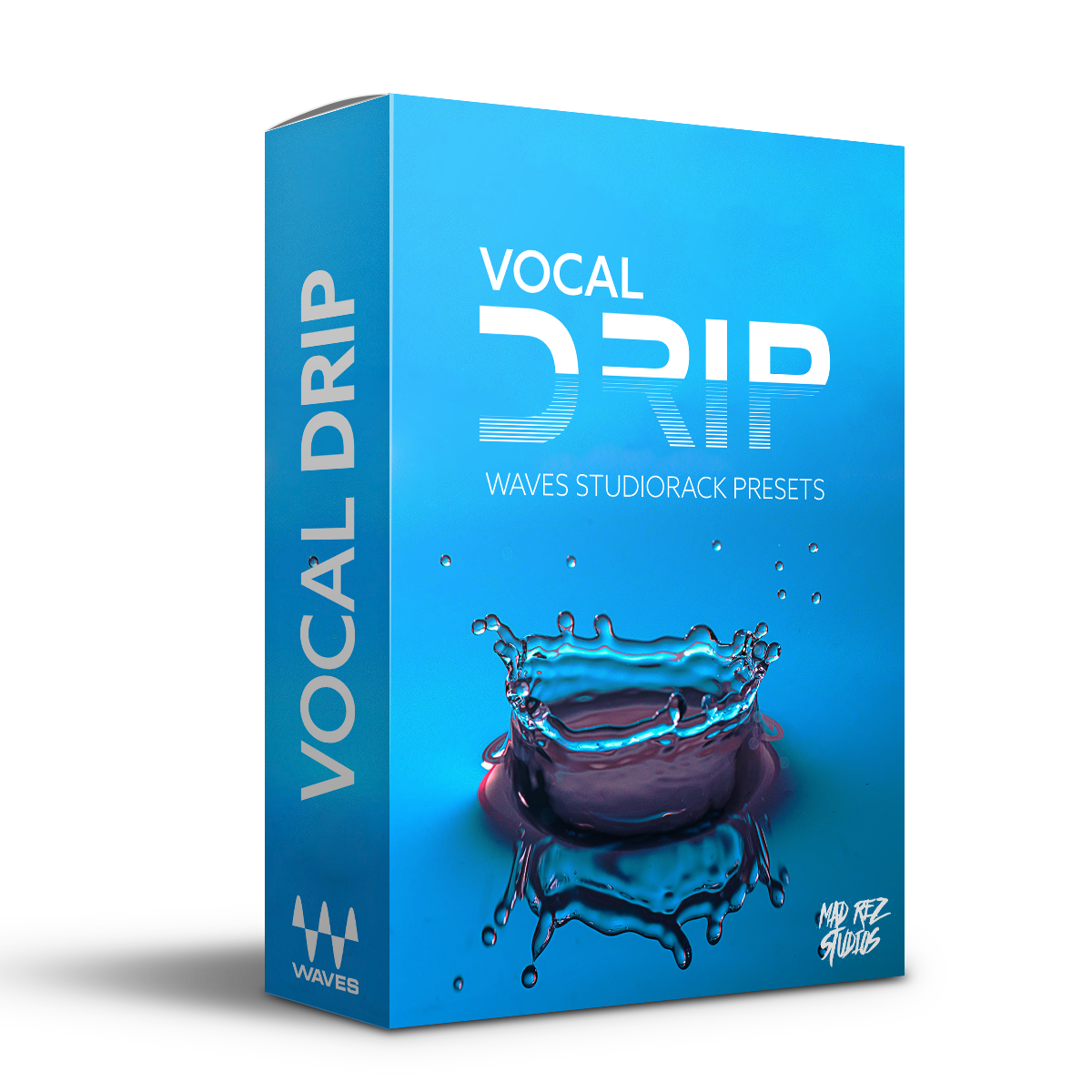
Modern Crispy Rap Vocals | Waves StudioRack Preset

Mad Rez Studios
$19.99
Silky
Vocal Labs
$14.99The Modern Crispy Rap Vocals preset runs on Waves StudioRack — if you have any Waves bundle, you likely already own everything it needs. These packs represent a professional vocal chain order and optimized settings so you can focus on performing, not mixing.
The Real Budget Breakdown
Here is what a professional-sounding vocal chain actually costs for an independent artist:
- Compressor: Waves CLA-2A or CLA-76 (on sale: $29-49)
- EQ: Your DAW's stock EQ (free)
- Saturation: Klanghelm IVGI (free)
- De-esser: Your DAW's built-in de-esser (free)
- Reverb: Valhalla VintageVerb ($50)
Total: under $100. You can make vocals that compete with what you hear on Spotify with this setup. Everything beyond this is refinement — nice to have, not need to have.
The Zero-Dollar Starter Kit
If you cannot spend anything right now, here is a complete vocal chain using only free plugins:
- TDR Kotelnikov (compressor)
- TDR Nova (dynamic EQ)
- Klanghelm IVGI (saturation)
- Spitfish or T-De-Esser (de-essing)
- Valhalla Supermassive (reverb/delay)
This chain costs nothing and sounds professional. Seriously. Download all five, set them up in the correct order, and you have a vocal chain that works.
Do not let gear acquisition syndrome convince you that the next plugin purchase will fix your sound. The artists you look up to did not sound good because of expensive plugins. They sounded good because they learned to use what they had.
Troubleshooting Your Plugin Chain
Plugins are causing latency during recording: Record with plugins bypassed, then enable them for mixing. Most DAWs have a low-latency mode that does this automatically.
The chain sounds worse than the raw vocal: You are probably doing too much. Bypass each plugin one at a time and find which one is hurting. Often it is over-compression or too much saturation.
CPU spikes and audio dropouts: Raise your buffer size to 512 or 1024 samples during mixing. Freeze or bounce tracks you are not actively editing. Free plugins are sometimes less CPU-efficient than paid ones.
Can't hear the difference a plugin makes: A/B test by toggling it on and off. If you genuinely cannot hear a difference, remove it. Every plugin in the chain should be doing something audible. An unused plugin is just adding latency and complexity.
Frequently Asked Questions
Do I need to buy plugins to make professional vocals? No. Your DAW's stock plugins plus the free options listed above (TDR Kotelnikov, TDR Nova, Klanghelm IVGI, Valhalla Supermassive) give you everything you need. Paid plugins offer convenience, character, and workflow improvements, but they are not required for quality.
Which plugin should I buy first if I can only afford one? Valhalla VintageVerb at $50. Reverb is the hardest thing to get right with stock plugins, and VintageVerb sounds expensive on everything. Your second purchase should be FabFilter Pro-Q 3 or Pro-C 2.
Are Waves plugins still worth it in 2026? On sale, absolutely. The CLA-2A, CLA-76, and Sibilance are solid workhorse plugins. Just buy them on sale (never at full price) and they deliver real value for vocal processing.
Can I mix vocal chain plugins from different brands? Yes, and you should. There is no reason to stay within one brand. Mix a Waves compressor with a FabFilter EQ and a Valhalla reverb. Use whatever sounds best at each stage of the chain.
Browse vocal presets that use these plugins, or grab free vocal presets to hear professional chains in action on your own voice.
Related: How to Build a Vocal Chain | Vocal Chain Order | How to Make Vocals Sound Professional