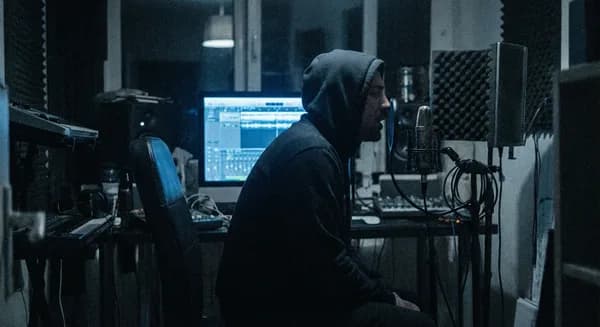
How to Get Future-Style Trap Vocals
VP
VocalPresets Team
8 min read
You know the sound. That dark, droning, melodic vocal that sounds like it was recorded in a cave on another planet. Future made it iconic and now it's everywhere in trap -- that heavy auto-tune, the dense reverb, the hypnotic quality that makes a simple melody feel massive.
Getting this sound in your bedroom is completely doable. It's not about expensive gear. It's about a specific combination of settings and knowing what order to put them in. This guide breaks down the full vocal chain for that Future-style trap vocal sound.
The Auto-Tune: This Is the Core of Everything
The first thing to understand: in this style, Auto-Tune isn't fixing your pitch. It's an instrument. You're using it to create that metallic, gliding quality where notes snap to pitch instantly.
Here's what to set:
- Retune speed: 0-5ms (all the way fast -- maximum snap)
- Scale: minor (Future almost always sings in minor keys -- it's where that dark, melancholic feel comes from)
- Humanize: off -- you want the robotic edge, not natural movement
- Input type: Alto/Tenor for most male voices, Soprano for higher voices or female vocalists
You need a real-time pitch plugin for this. Auto-Tune Pro or Auto-Tune Access are the standards. Melodyne won't give you this effect because it works differently -- you need the live, real-time pitch snapping that happens as you sing.
Free option: MAutoPitch by Melda does a decent job if you're not ready to buy Auto-Tune yet. Set the depth to 100% and the speed as fast as it goes. It won't be identical to Auto-Tune Pro, but it gets you into the ballpark for demos and practice.
Pro tip: Set the correct key of your beat in Auto-Tune before recording. If the beat is in F minor, set the key to F minor. If you don't know the key, use a plugin like Keyfinder or ask whoever made the beat. Wrong key settings cause Auto-Tune to pull your voice to wrong notes, which sounds bad instead of stylistic.
Shape Your Tone Before the Auto-Tune
The EQ goes before your pitch correction. You want to shape the raw vocal so the Auto-Tune has a clean, warm signal to work with.
- High-pass at 100Hz -- removes room rumble and mic handling noise
- Small boost around 800Hz-1kHz -- this pushes your voice forward in that midrange zone that cuts through 808s
- Slight cut above 10kHz -- Future's vocals aren't bright and airy. They're dark and dense. Rolling off the very top end gives you that heavier, more hypnotic quality.
- Cut any harshness at 3-5kHz -- if your mic is bright (many cheap condensers are), a 2-3 dB cut in this range smooths things out before the Auto-Tune processes the signal
In FL Studio, Fruity Parametric EQ 2 handles all of this. In Logic Pro, Channel EQ. In Ableton, the stock EQ Eight. Every DAW has a capable parametric EQ -- use whatever is built in.

Wasted

Vocal Labs
$14.99Wasted is built for exactly this zone -- dark, heavy trap vocal processing. If you want a head start on the tone, this preset gets you most of the way there. It's available for FL Studio, Logic Pro, and other major DAWs.
Compression: Consistent but Not Crushed
Your compressor goes between the EQ and the Auto-Tune (some people put it after -- experiment with both). The goal is to feed the Auto-Tune a consistent signal. When your vocal jumps around dynamically, the pitch correction sounds glitchy in a bad way -- it chases the volume changes and creates artifacts.
Settings to start with:
- Ratio: 4:1 to 6:1
- Attack: medium (15-25ms) -- fast enough to control dynamics but slow enough to let transients through
- Release: medium (50-100ms) or auto-release if your compressor has it
- Gain reduction: 6-8 dB on average
You want the vocal to feel controlled and dense, but not lifeless. If every word sounds exactly the same volume, you've compressed too hard. Back off the ratio or raise the threshold slightly.
FL Studio tip: The Fruity Limiter works but can sound harsh at high ratios. If you have Maximus, try using a single band for more musical compression. Or use a third-party compressor like the free TDR Kotelnikov.
Caution
Vocal Labs
$14.99Caution gives you a solid hip-hop and trap compression chain. Apply it before your Auto-Tune for a more controlled tone going into pitch processing.
Reverb: Go Bigger Than You Think
This is where the sound gets its personality. Future's vocals have big reverb -- not subtle room ambiance, but a thick, cavernous wash that makes his voice feel massive and echoing.
- Room size: large (60-80%)
- Decay: 2-4 seconds (longer than most mixing advice tells you to go)
- Wet level: high -- push it further than feels "safe." On a send channel, start at 30-40% and go up from there.
- Damp the high frequencies in the reverb -- you want a dark, warm reverb tail, not a bright, shimmery one. Most reverb plugins have a "damping" or "high cut" control. Set it around 4-6kHz.
- Pre-delay: 30-50ms -- this separates the dry vocal from the reverb onset so your words stay intelligible even with heavy reverb
Run the reverb on a send/return track, not directly on your vocal insert. This gives you way more control over the blend and lets you EQ the reverb independently from your dry vocal.
That "drugged out," smeared quality between phrases? That's the long reverb tail bleeding from one line into the next. It's intentional. Don't fight it.
Reverb plugin recommendations:
- Stock options: FL Studio Fruity Reverb 2, Logic ChromaVerb (Hall mode), Ableton Reverb
- Free: Valhalla Supermassive -- the "Gemini" and "Large Magellanic Cloud" algorithms are perfect for this dark, expansive trap reverb
- Paid: Valhalla VintageVerb, FabFilter Pro-R 2 -- both give you precise control over the reverb darkness and tail character
Delay: The Echo Behind Everything
Stack a quarter-note delay underneath the reverb:
- Sync it to your track's BPM
- Low feedback (2-3 repeats)
- Keep it quieter than the reverb
- Roll off the highs on the delay return (high cut at 3-5kHz) so the echoes are darker than the dry vocal
The reverb and delay working together create that huge, enveloping sound where every phrase echoes and decays into the next. The delay provides rhythmic repetition while the reverb provides atmospheric wash. Together, they create the signature spatial depth of this vocal style.

Stargaze
Vocal Labs
$14.99Stargaze captures the spatial, atmospheric quality of this sound nicely -- good reference for how the reverb and space should feel.
Stack Your Vocals
Future's records are rarely a single vocal track. The layering is a big part of why it sounds so massive:
- Main vocal -- center, full chain (everything above)
- Octave-down double -- quieter (6-10 dB below the lead), adds low-end weight and body. Run the same Auto-Tune settings but with a different take.
- Whisper double -- very quiet, adds texture and intimacy. Record the same lines in a breathy whisper, blend at -12 dB or lower.
- Ad-libs -- same chain, maybe a little more reverb, panned to the sides (40-60% left and right). These fill the stereo field and add energy.
The doubles don't need to be perfect. Part of the vibe is a slightly loose, hypnotic layering where things bleed together. If everything is perfectly aligned, it sounds too clean for this style.
Layering tip: High-pass your doubles and ad-libs higher than your lead (150-200Hz instead of 100Hz). This prevents low-end buildup when multiple vocal tracks stack together.
How It Sits in the Mix
Something interesting about this style: the vocal sits loud in the mix, right on top of the 808. The reverb creates the illusion of distance while the dry signal stays upfront. The 808 owns the sub-bass frequencies. Your voice owns the mids. They coexist because they're not fighting over the same space.
To achieve this balance:
- High-pass your vocal at 100-120Hz so it doesn't compete with the 808
- Let the vocal be louder in the mix than you think it should be -- this style is vocal-forward
- Side-chain the reverb return to your dry vocal so the reverb ducks slightly when you're singing and swells between phrases
Quick Reference Chain
- High-pass EQ (100Hz)
- Tone EQ (warm, dark, present mids)
- Compressor (4:1-6:1, medium attack)
- Auto-Tune (retune speed 0-5ms, minor scale)
- Reverb on send (long decay, high wet, dark)
- Quarter-note delay on send (BPM-synced)
The chain is only half of it. The delivery -- those extended notes, the slurred transitions between phrases, the way Future rides the melody -- that's what makes the sound work. The processing enhances the performance. It never replaces it.
Frequently Asked Questions
Can I get this sound without buying Auto-Tune?
You can get close. MAutoPitch by Melda (free) handles basic real-time pitch snapping. GSnap (free) is another option. Neither sounds identical to Auto-Tune Pro -- the tracking algorithm and the specific way Auto-Tune handles pitch transitions is part of the iconic sound. But for demos, practice, and early releases, free options work. When you're ready to invest, Auto-Tune Access ($99) is the affordable entry point.
What microphone does Future use?
Studio records are typically tracked through high-end mics like the Sony C-800G or Neumann U87. But the vocal processing is doing most of the tonal work here. An Audio-Technica AT2020 ($100) or Rode NT1 ($270) through the right vocal chain gets you surprisingly close. The Auto-Tune, compression, and reverb are doing far more than the mic.
Why does my Auto-Tune sound glitchy and bad?
Three common reasons: wrong key setting (set the correct key of your beat), too much background noise (the Auto-Tune tries to pitch-correct the noise), or inconsistent vocal dynamics (the Auto-Tune chases volume changes). Fix these by: knowing your beat's key, recording in a quiet room, and compressing before the Auto-Tune.
Should I record with Auto-Tune on or add it after?
Record with it on. This style is a performance -- you need to hear the effect in real time to adjust your delivery, ride notes, and find the sweet spots where the Auto-Tune creates interesting transitions. Monitoring without Auto-Tune and adding it later removes the performance element that makes this style work.
Related reads: Best Trap Vocal Presets 2026 | Best Drill Vocal Presets 2026 | Best Free Vocal Presets
Top Fl Studio Presets

Free
Big Drip
Vocal Labs
Free
Free
Interview
Vocal Labs
Free
Sippin'
Vocal Labs
$14.99Stargaze
Vocal Labs
$14.99Ready to start building your sound? Browse vocal presets designed for trap artists, or try the free vocal presets to experiment without spending anything.