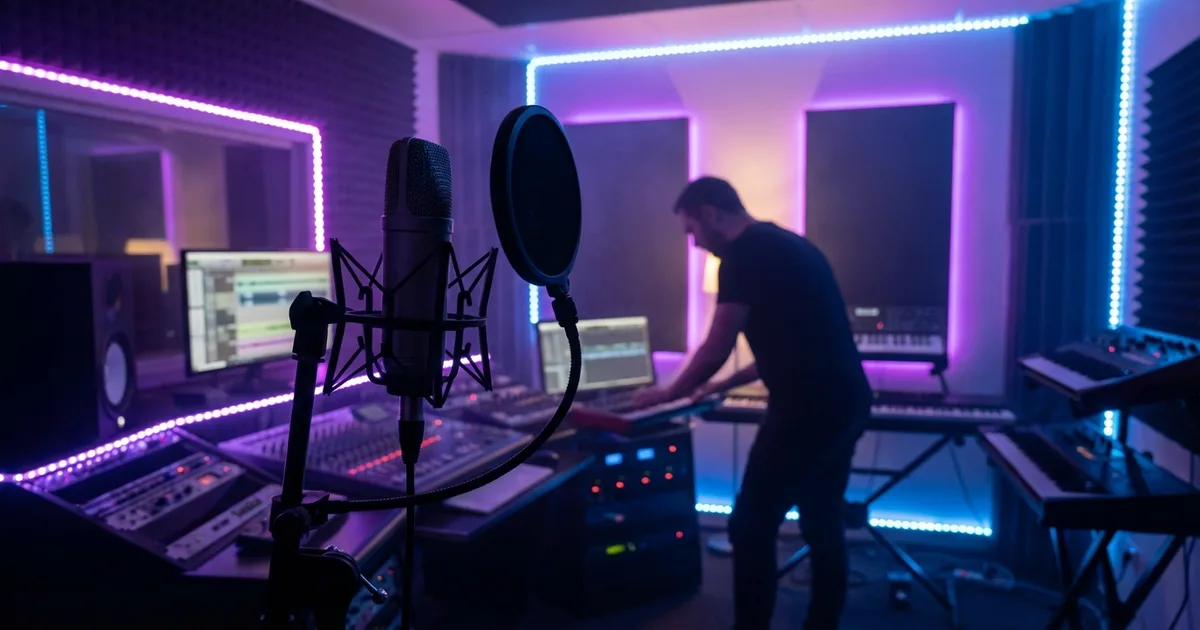
Travis Scott Vocal Chain: How to Get the Auto-Tune and Reverb Sound

You've been trying to get that Travis Scott sound and your vocals keep coming out flat. You hear that dark, atmospheric, otherworldly vocal on Astroworld and Utopia, and when you record yourself -- even with Auto-Tune on -- it sounds nothing like that.
The Travis vocal isn't just Auto-Tune. It's a full atmosphere built around your voice. And you can absolutely build it from your bedroom. Here's the exact Travis Scott vocal chain -- every setting, every plugin, with budget alternatives for every step.
What Makes the Travis Sound Hit Different
When you hear Travis, you're hearing:
- Heavy Auto-Tune with fast retune speed -- the melodic rap effect that makes YOUR melodies sound like records
- Lush, atmospheric reverb -- big halls that put your voice in another world
- Subtle chorus for that dreamy width
- Tape saturation adding warmth and grit
- Dark, spacious overall character
This is the sound that defined Astroworld and Utopia -- and you can build it in FL Studio, Logic, Ableton, or whatever you're running. If you're still figuring out your vocal chain order, this breakdown shows you exactly where each plugin sits.
Step 1: Auto-Tune -- The Core of YOUR Sound
This comes first in the chain. Travis uses Antares Auto-Tune, but you don't need to drop that money right away.
Settings:
- Retune Speed: 0-5ms (this creates the hard-tuned melodic sound -- crank it fast)
- Key: Set to your song key (wrong key = your vocal sounds broken, not stylistic)
- Humanize: 0-10 (lower = more robotic, higher = more natural)
- Flex Tune: 0 (full correction)
- Input Type: Low Male or Alto/Tenor depending on your voice
Budget alternatives: GSnap (completely free) or Graillon 2 (free version works great). Just make sure retune speed is as fast as possible.
Step 2: Compression -- Locking Your Performance In
Travis's vocals are dynamically flat -- every note hits at the same level. This is what makes it sound like a record instead of a bedroom take.
First compressor (1176-style):
- Ratio: 8:1 (more aggressive than typical -- that's the point)
- Attack: 1-3ms (fast -- catch everything)
- Release: Auto or 50ms
- Gain reduction: 6-10dB
Second compressor (VCA or bus-style):
- Ratio: 3:1
- Slower attack: 10ms
- Release: 100ms
- Gain reduction: 3-4dB
Free options: Analog Obsession FetCH + BUSTERse. Two free plugins that handle both stages.
After this, your vocal should be very consistent -- no big dynamic swings. That's how yours starts sounding like his.
Step 3: EQ -- Dark but Present
The Travis sound is not bright. If your recordings sound harsh or airy, this is where you fix that.
- High-pass: 100Hz
- Low-mid boost: +2-3dB around 250-400Hz (warmth and body)
- Scoop: -2-3dB at 800Hz-1kHz (removes that nasal, bedroom quality)
- Presence: +1-2dB at 3kHz (just enough so your words are still clear)
- High shelf cut: -2-3dB above 10kHz (keeps it dark -- this is key)
For which EQ plugins work best here, check our guide on best vocal chain plugins for bedroom producers.
Step 4: Saturation -- That Analog Grit
Tape saturation gives the Travis vocal that expensive, textured quality. Without it, your vocal sounds digital and thin.
- Type: Tape saturation
- Drive: Medium (25-40%)
- Mix: 40-60% wet
- Tone: Roll off the highs on the saturation
- Free plugins: Caelum Audio Tape Cassette, Analog Obsession TAPE, or Softube Saturation Knob
- If you have budget: Soundtoys Decapitator (set to "A" mode), Saturn 2, or RC-20
Step 5: Reverb -- Building YOUR Atmosphere
This is where the Travis sound really comes alive. This is not subtle room reverb -- it's big, lush, and cinematic.
Main reverb (Hall):
- Type: Large Hall
- Decay: 2.5-4 seconds
- Pre-delay: 30-50ms
- Damping: High-cut around 6-8kHz
- Mix: 25-35% wet (on a send, adjust to taste)
- Modulation: On, subtle
Secondary reverb (Plate):
- Type: Plate
- Decay: 1.5-2 seconds
- Mix: 10-15% wet
Free reverb: Valhalla Supermassive is incredible for this. The "Gemini" and "Hydra" modes nail the Travis atmosphere. Completely free.
Step 6: Chorus -- Width and Shimmer
That dreamy width on tracks like 90210 comes from a subtle chorus effect:
- Rate: 0.3-0.5Hz (slow)
- Depth: 25-40%
- Mix: 15-25% wet
- Stereo width: Full
Free option: TAL-Chorus-LX is a classic and it's free.
Step 7: Delay
A tempo-synced delay adds rhythmic depth that fills out the space between your words:
- Time: Dotted 1/8 note
- Feedback: 20-30%
- Mix: 10-20% wet
- High-cut: 5-6kHz on delay return
- Low-cut: 300Hz on delay return
Song-by-Song Breakdown
The Travis chain is not static. It shifts depending on the track and era.
On SICKO MODE, the vocal flips between multiple personalities. The opening section uses minimal Auto-Tune with a tighter, drier reverb. When the beat switches, the chain shifts to harder Auto-Tune with longer hall reverb tails and heavier saturation. Automate your reverb send and saturation drive between sections to recreate this.
On goosebumps, the chorus vocal is drenched in chorus and plate reverb with the delay pushed louder than usual. The verse is comparatively dry. This contrast is what makes the hook hit. Try running your chorus with 30-35% wet reverb and your verse at 15-20%.
On HIGHEST IN THE ROOM, the Auto-Tune is front and center with a slower, dreamier reverb tail around 3.5-4 seconds. The saturation is lighter -- more warm than gritty. Pull your drive back to 20% and let the reverb do the heavy lifting.
On FE!N from Utopia, the vocal is more aggressive. Compression is pushed harder, the saturation has more bite, and the reverb is shorter and tighter. Think 1.5-2 second decay and more presence in the EQ around 4-5kHz.
Budget Alternative Chain (All Free Plugins)
You can build a convincing Travis chain without spending a dollar:
- GSnap -- pitch correction with retune speed at fastest setting
- Analog Obsession FetCH -- first stage compression, ratio 8:1
- Analog Obsession BUSTERse -- second stage compression, ratio 3:1
- TDR Nova -- dynamic EQ for the dark-but-present curve
- Caelum Audio Tape Cassette -- tape saturation at 30% drive
- TAL-Chorus-LX -- subtle chorus for width
- Valhalla Supermassive -- hall reverb on Gemini mode, 3 second decay
- Valhalla Supermassive (second instance) -- plate with shorter decay
This entire chain is free and gets you 80-90% of the way there.
Recording Tips for the Travis Sound
Sing 4-6 inches from the mic and slightly off-axis to reduce sibilance. The Travis vocal is not a close-whisper style -- give the mic breathing room so the reverb and chorus have space to work.
Record in a treated space or at minimum throw a blanket behind your mic. Room reflections fight against the reverb you are adding, creating a muddy, unfocused sound. You want the ONLY reverb to be the one you add intentionally.
Double your hook vocals and pan the doubles 30-40% left and right. Travis stacks vocals constantly. Run the doubles through the same chain but with slightly more reverb and chorus for that wide, cinematic hook quality.
If you are working in FL Studio, set up your reverb and delay as send channels rather than insert effects for independent control.
How Travis Compares to Similar Chains
The Travis chain shares DNA with the Drake vocal chain in warmth and saturation, but Drake's reverb is much shorter and tighter. If you want that intimate, close sound, check the Drake breakdown.
Compared to the Yeat vocal chain, Travis uses less distortion and more atmospheric reverb. Yeat is about aggression and lo-fi destruction. Travis is about cinematic atmosphere.
The Playboi Carti vocal chain takes pitch-shifting and distortion much further. Carti's sound is intentionally alien and extreme. Travis keeps things more musical.
For the cleanest contrast, look at the Lil Baby vocal chain. Baby's chain is dry, precise, and minimal -- the opposite end of the spectrum.
Your Signal Chain Order
- Auto-Tune (pitch correction first, always)
- Compressor 1 (FET/1176)
- Compressor 2 (VCA)
- EQ
- Saturation
- Chorus
- Hall Reverb (send)
- Plate Reverb (send)
- Delay (send)
Frequently Asked Questions
Can I get the Travis Scott sound with free plugins only? Yes. The budget chain using GSnap, Analog Obsession compressors, TDR Nova, Caelum Audio Tape Cassette, TAL-Chorus-LX, and Valhalla Supermassive covers every step. The paid plugins offer workflow convenience, but the free alternatives get you genuinely close.
What microphone does Travis Scott use? Travis has been tracked on Neumann U87s and Sony C800Gs. You do not need either. A budget condenser like the Audio-Technica AT2020 or Rode NT1 paired with this chain gets your vocals in the right ballpark. The processing does most of the heavy lifting.
Why does my Auto-Tune sound glitchy instead of smooth? You are probably in the wrong key. Auto-Tune set to the wrong key produces random pitch jumps instead of smooth correction. Always confirm your song's key before recording. Also make sure your input type matches your vocal range -- selecting the wrong range causes tracking errors.
Should I record with Auto-Tune on or add it after? Record with it on through your DAW's input monitoring so you can hear yourself in tune and adjust your performance. Travis performs into Auto-Tune live -- hearing the tuned signal helps you lean into the melodic phrasing that defines the style. Just make sure you are recording the dry signal and applying Auto-Tune as an insert, not printing it to the audio file.
Make It Yours
The Travis sound is about atmosphere. Don't be afraid to push the reverb and Auto-Tune harder than you think -- that's what makes YOUR recordings sound like a record, not a demo. The bedroom artists who nail this sound are the ones who commit to the effects instead of half-assing them.
Want these settings pre-loaded so you can just record? Browse our vocal presets for trap and melodic rap chains built for artists who want that Astroworld sound. Or check out our free vocal presets to start experimenting right now.